Live Server Stats
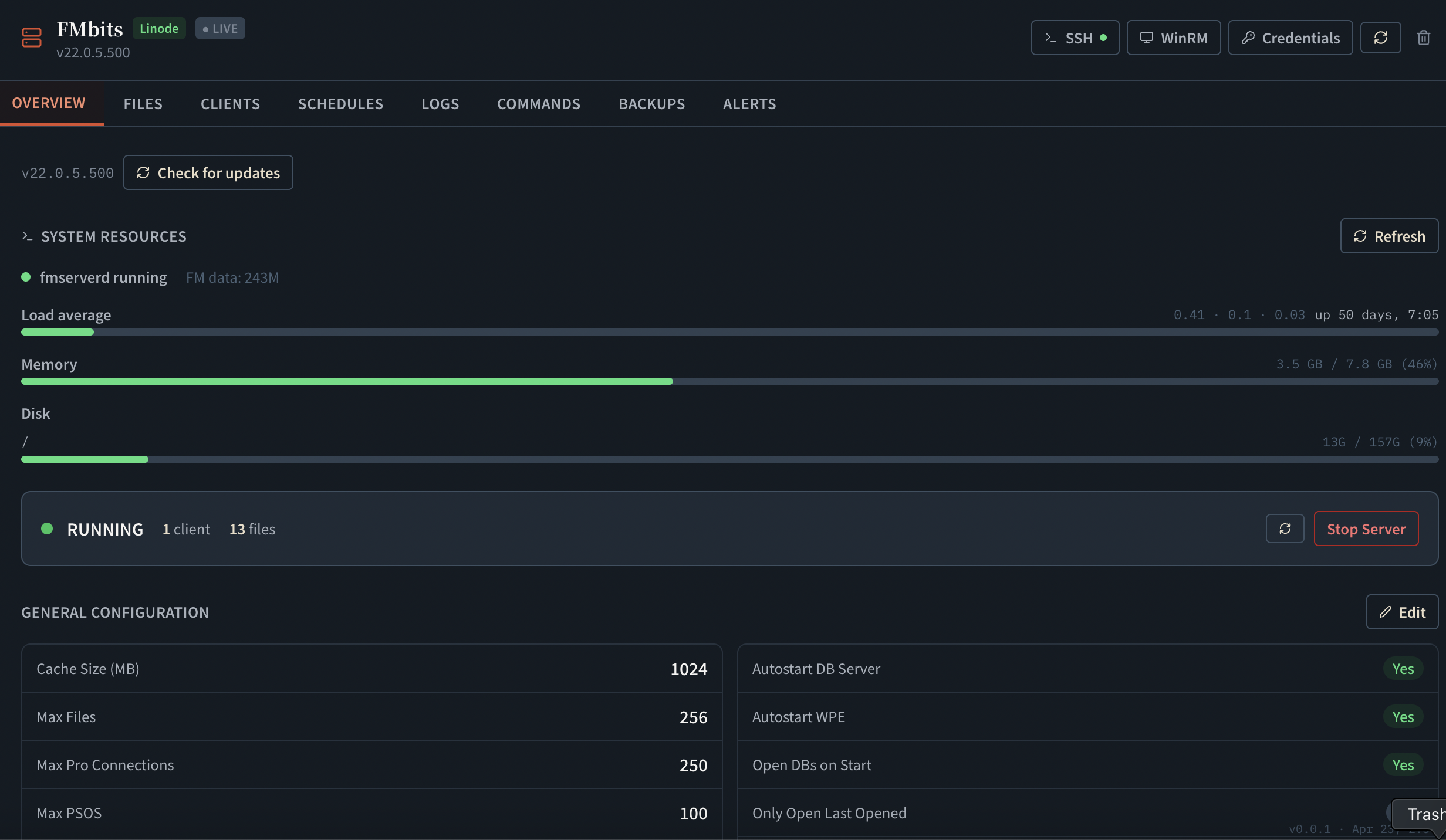
CPU, memory, and disk usage updated in real time per server. See at a glance whether you're approaching capacity before it becomes a problem.
FM Server Monitoring
Monitor server health, analyze logs with AI, and get alerted to issues in real time — all in one place.
Stop
Finding out your server is down
from your users
Stop
Digging through logs
to figure out what went wrong
Stop
Damage already done
before you even knew there was a problem
Server watch
CPU
42%
Memory
68%
Disk
81%
Alert
Backup failed on Server 2.
A quick walkthrough of server health, logs, alerts, files, backups, and remote commands — all from one browser dashboard.
Connecting
Use Admin API, SSH, or WinRM depending on your environment. FM Dojo works with macOS, Linux, and Windows FileMaker Server.
Built into every FileMaker Server. Enter your server URL and admin credentials — no additional setup required. Works on macOS, Linux, and Windows.
For macOS and Linux servers. Connect with a private key or password. Enables the SSH Command Library, log streaming, and the FM Deploy pipeline.
For Windows Server. Connect with Windows credentials over SSH (OpenSSH Server) or WinRM — whichever your server already has. You only need one.
Features
CPU, memory, and disk usage updated in real time per server. See at a glance whether you're approaching capacity before it becomes a problem.
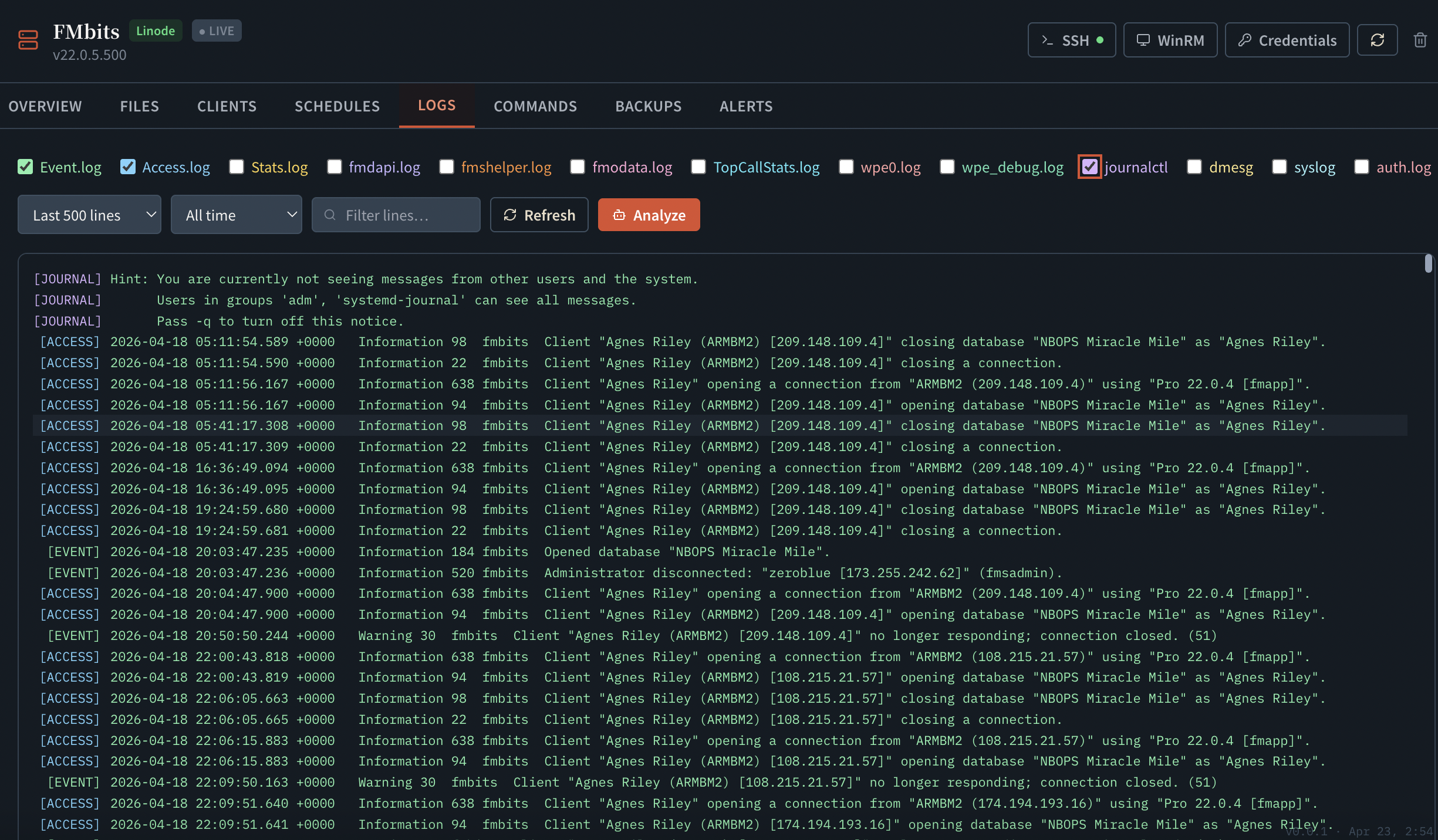
Browse Event, Access, Stats, and DAPI logs in the browser. Select multiple log files at once and ask AI to analyze them together — correlate events across logs, identify patterns, and surface likely causes.
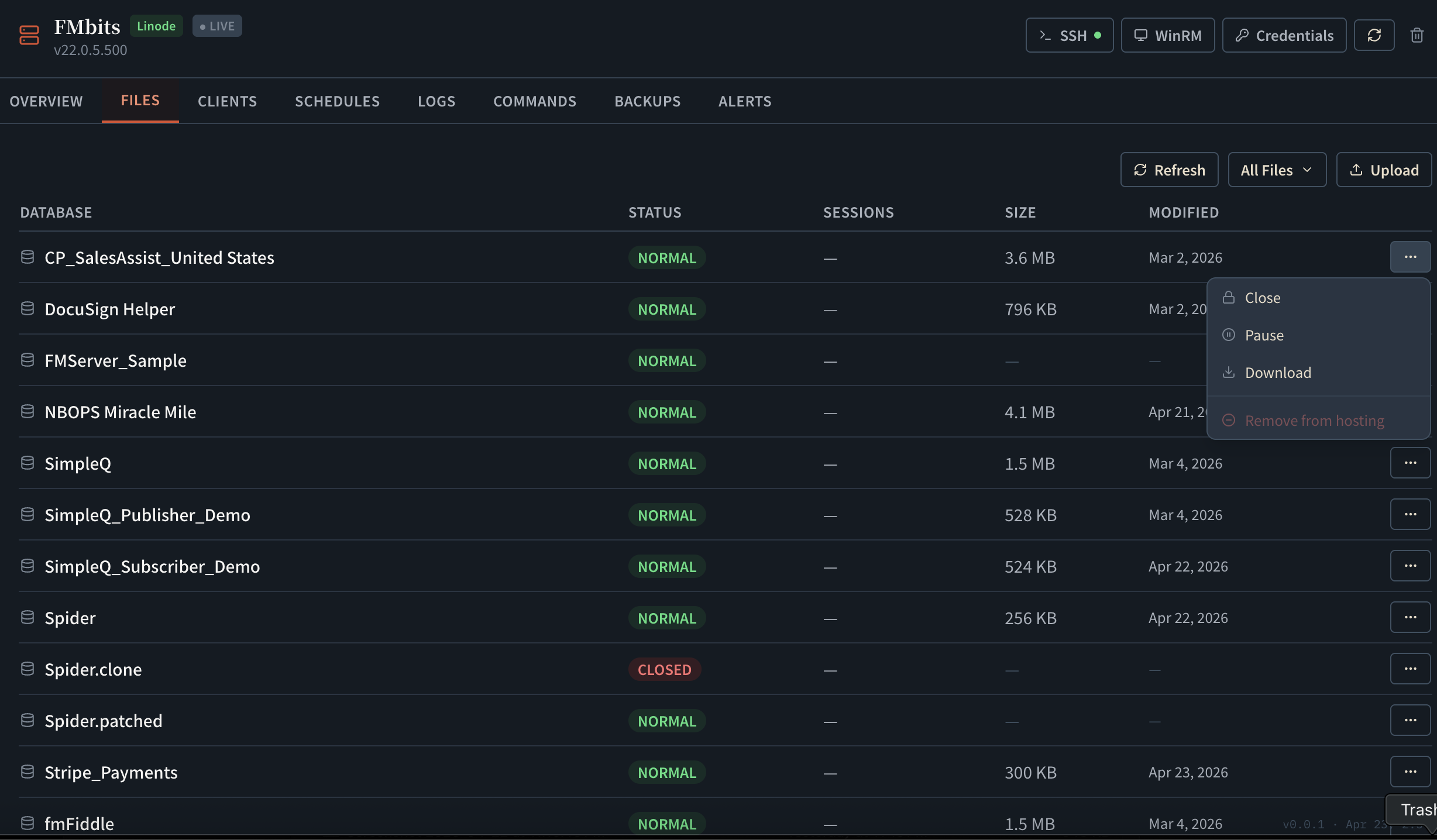
See all open databases, connected clients, and running schedules from one dashboard. Open, close, and upload database files without logging into the server.
Browse, download, and delete backup files — single or multi-select. Restore a backup in one click, with an option to merge your latest live data into it so the restored file has the old structure but keeps your current records.
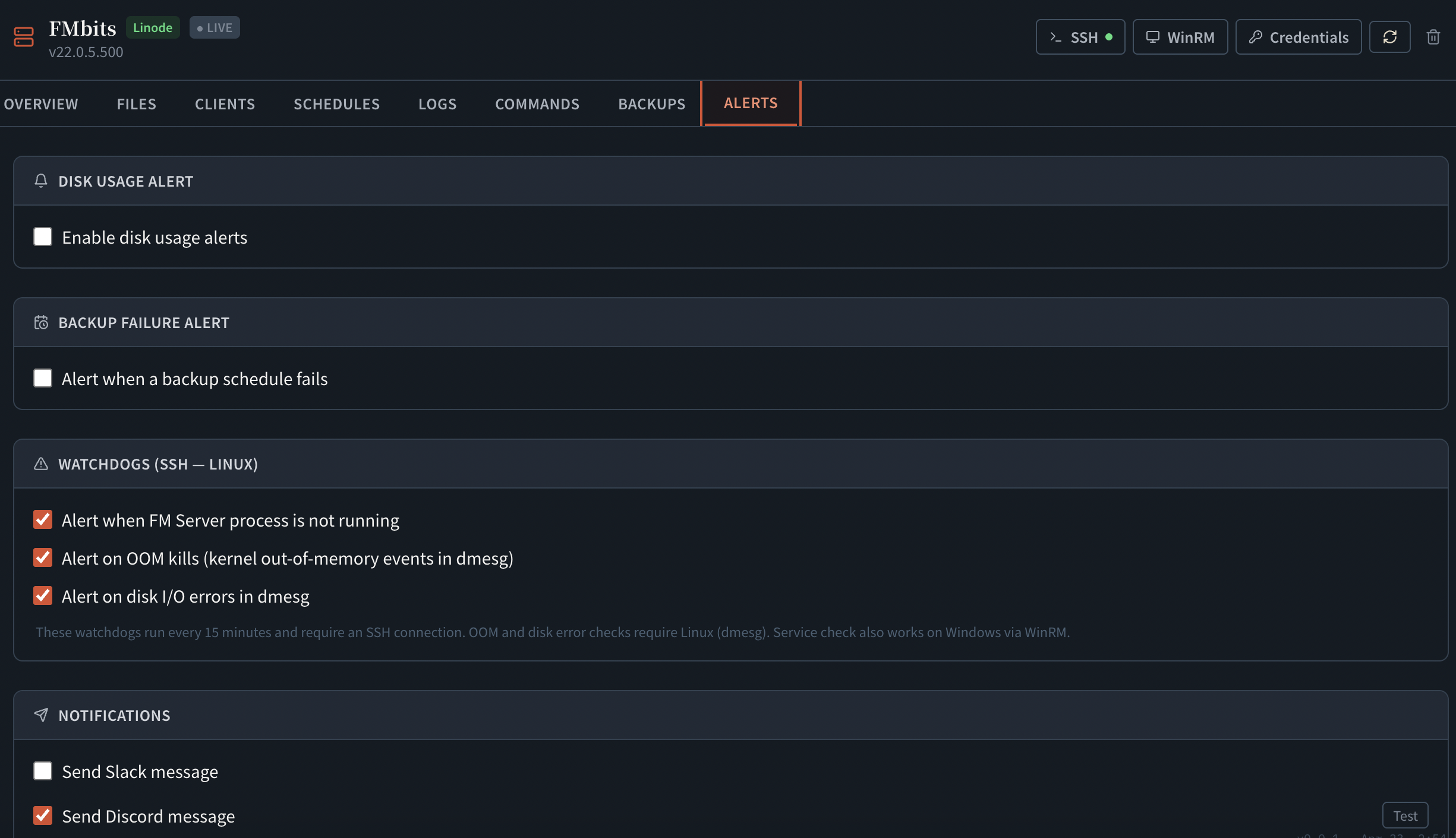
Set thresholds for disk usage and backup failures. Get notified by email or Discord webhook when a condition fires — with a configurable cooldown so you don't get flooded.
Run fmsadmin commands from a searchable library, or drop into shell mode for arbitrary commands — output streams back live into FM Dojo. Works over SSH on macOS and Linux, or SSH or WinRM on Windows Server.
What developers say
“It is easily worth 10x the price for the peace of mind it will provide for production systems.”
Kirk Bowman
“FM Dojo's structure brings seemingly disparate tools together in one place, making the benefit even greater than the sum of its parts. Having these smartly packaged tools is a real time-saver.”
Robert
Screenshots
Platform Support
| macOS / Linux | Windows Server | |
|---|---|---|
| Live stats & Admin API | ||
| Log viewer (Event, Access, Stats, DAPI) | ||
| File & client management | ||
| Backup browse, download, restore | ||
| Alerts & notifications | ||
| Remote command execution | SSH | SSH or WinRM |
FAQ
No. FM Dojo connects to your server remotely using its existing Admin API, SSH, or WinRM — all of which are built into FileMaker Server and Windows Server respectively. Windows servers use SSH or WinRM, whichever is already enabled; you only need one. Nothing is installed on the server.
Apprentice includes 1 server. Ronin includes 3. Ninja and Sensei are unlimited. You can add any mix of macOS, Linux, and Windows servers.
View PlansEvent, Access, Stats, and DAPI logs — the same logs available in FileMaker Server Admin Console, but readable in the browser with AI analysis built in. Select any entries and ask AI to explain what happened.
Disk usage thresholds (alert at X% full) and backup failures. Notifications go to email or a Discord webhook. You can configure a cooldown period so the same alert doesn't fire repeatedly within a short window.
Over SSH or WinRM — your choice, and you only need one. SSH uses the OpenSSH Server built into Windows Server 2019 and later; WinRM is the remoting protocol built into Windows Server 2012 R2 and later. Either way you sign in with a Windows username and password, and both give the same command execution and log access.
Server checkup
Book consulting for log review, backup planning, alert setup, SSL cleanup, or the kind of server mystery that starts with 'it was fine yesterday.'
Health, logs, backups, alerts, and commands — all from the browser. Add your first server in under a minute.
View Plans